¶ Diagnosis
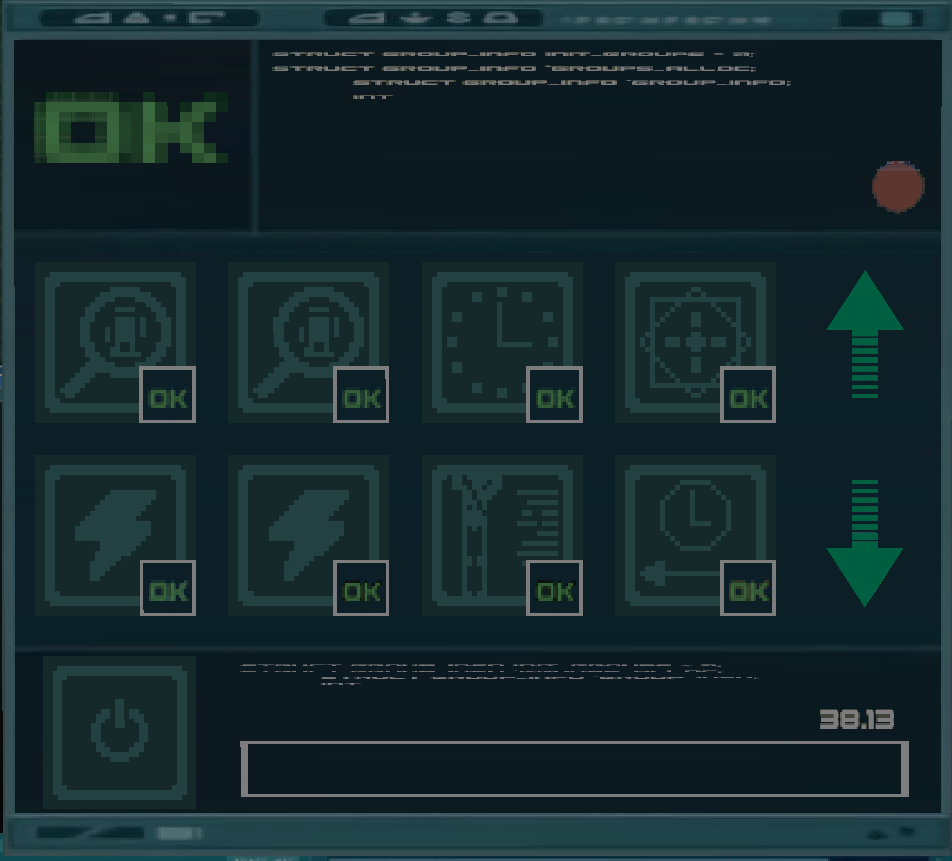
The Diagnosis program allows you to inspect and fix errors in Lyoko's software, caused by Software Attacks launched by XANA.
This program is available only on Lyoko's Terminal, or to any device connected to it.
¶ Usage
On the top-left corner, a green “OK” icon will be displayed if the software is intact or all patches are ready to be applied. Otherwise, it will turn into a red warning icon.
In the middle, two rows filled with software modules are present. Each module handles specific parts of Lyoko's software, such as Energy circulation or the Superscan. You can use the arrows on the right to switch pages.
If a module is in red, it is damaged and has yet to be debugged from Sector Five's interface. Once debugged, it will become orange, awaiting for the fix to be applied through the bottom-left button.
Right-clicking a module will usually send a message in the chat explaining what the module does and what the effects will be if it is damaged, including how to fix it in such a scenario. If a materialized permanently xanafied warrior attempts to interact with a module, it will be damaged if possible.